Charging your Kerpow device
Your Kerpow devices come pre charged to about 50% so we advise you to charge them first. Your Kerpow device needs the Switch to be in the ON position to charge.
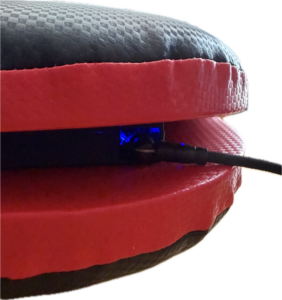
Using the magnetic charging cable it will snap into place. Inside you will see a BLUE glow, that means it is charging.
No BLUE glow? its fully charged! They last about 5-6 hours depending on usage.
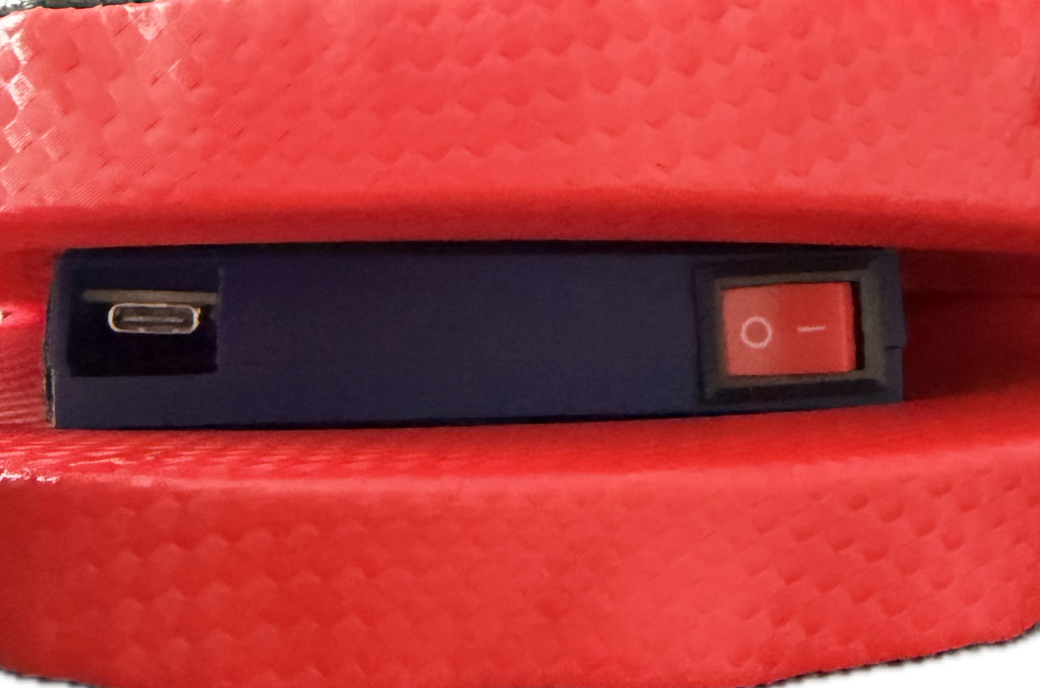
RED ON / OFF switch
Magnetic Charging cables
BLUE charging glow
Connecting your Kerpow device to WiFi
Your Kerpow devices need to be connected to the Internet to work. Using a mobile phone or tablet is the easiest way to connect your device to the internet. A quick tip is to copy and paste your password each time. On first power on, you device needs to be hit once to connect to our servers. Use the RED switch that can be found as the above pictures to turn on the paddle.
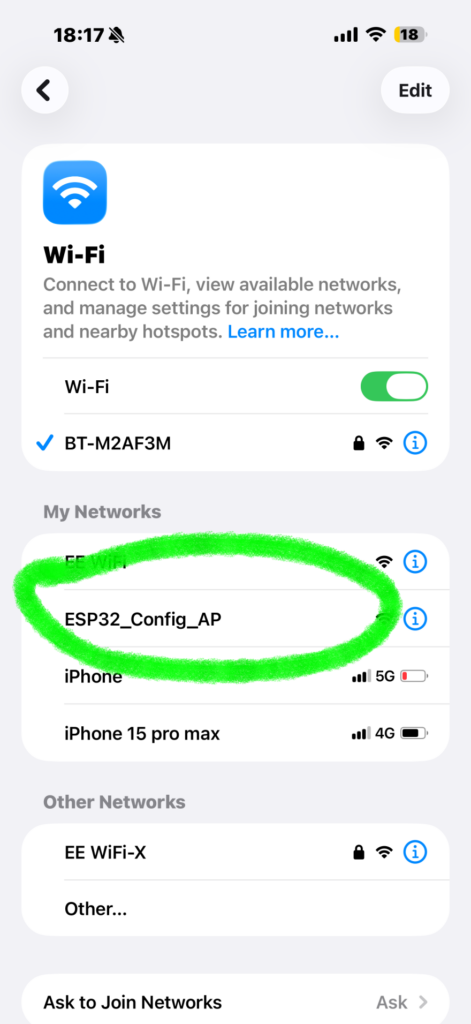
- Open your WIFI on your phone or tablet.
- Find the WiFi device named ESP32_Config_AP and select it
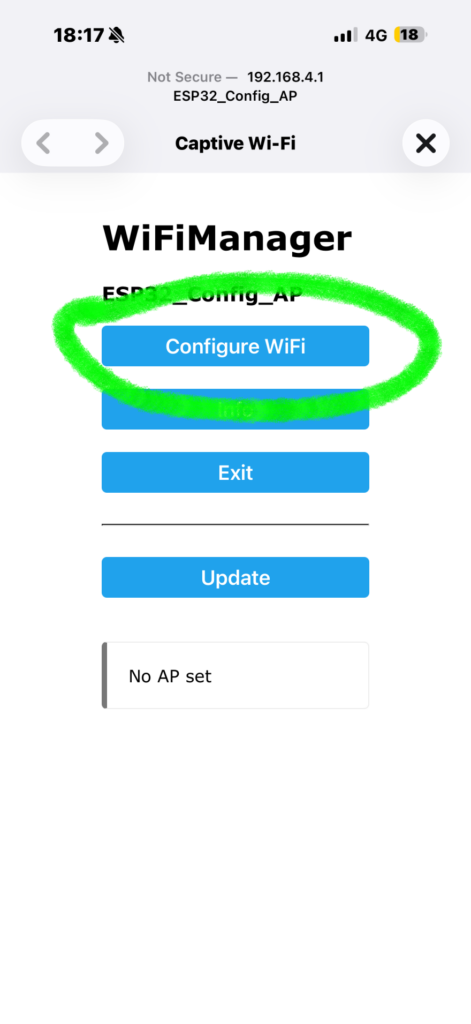
3. It should open the web portal automatically. Select Configure WiFi
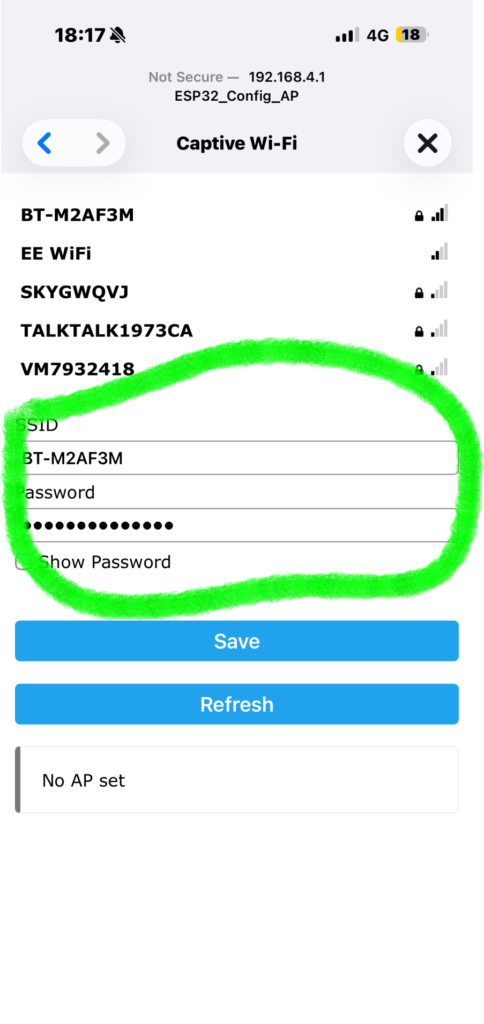
4. Enter your WiFi credentials and press save. You can click your WiFi from the list and it will autofill your SSID. It can take up to 30 seconds to connect first time. When connecting next time, connection is approx 10-15 sconds. Turn one device on at a time, wait 10-15 seconds when turning devices on.
Using the Software
Please watch the short video explaining on how each game works and how to login, setup etc.